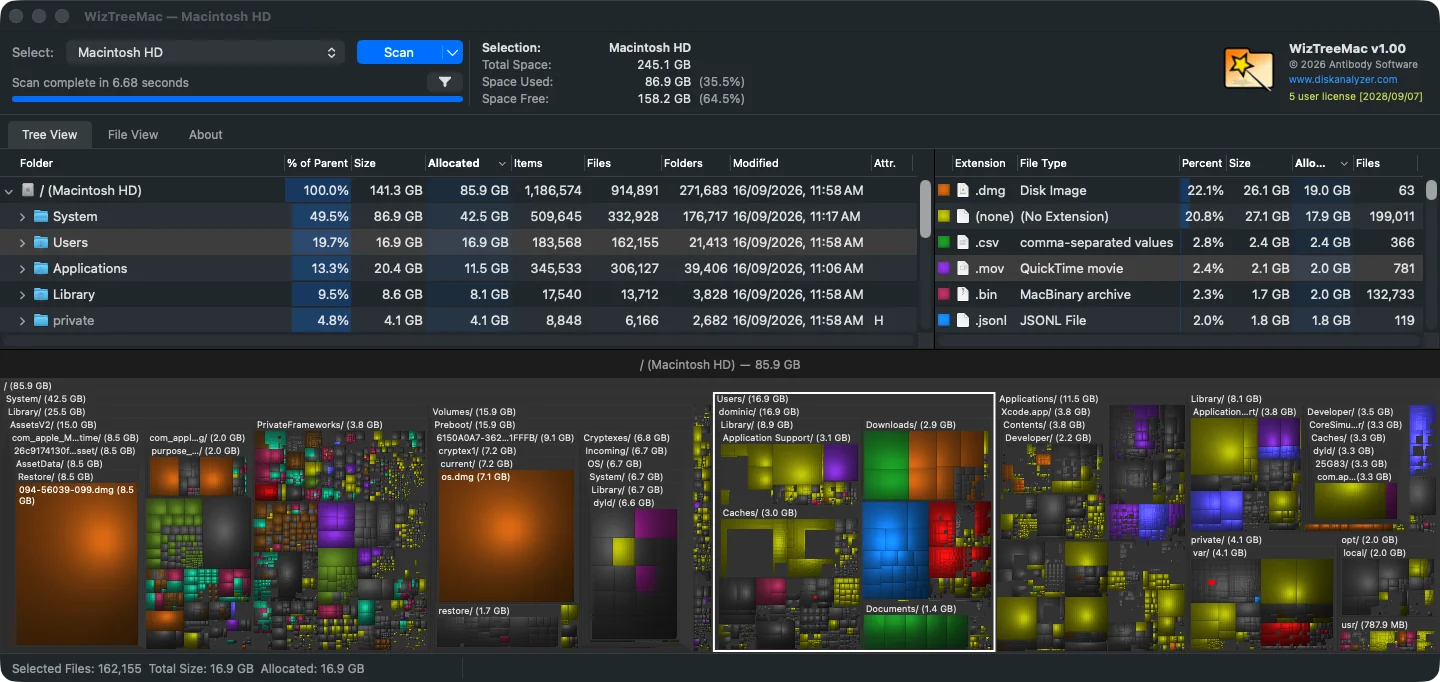
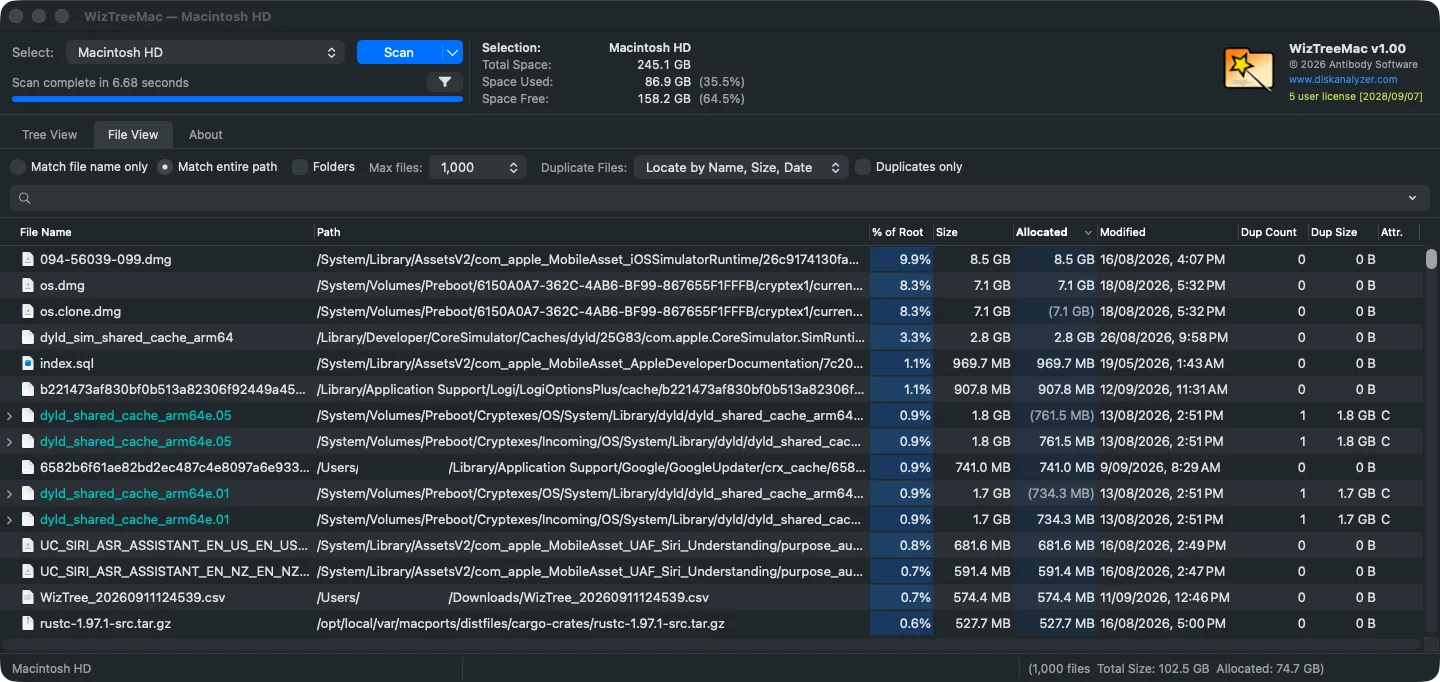
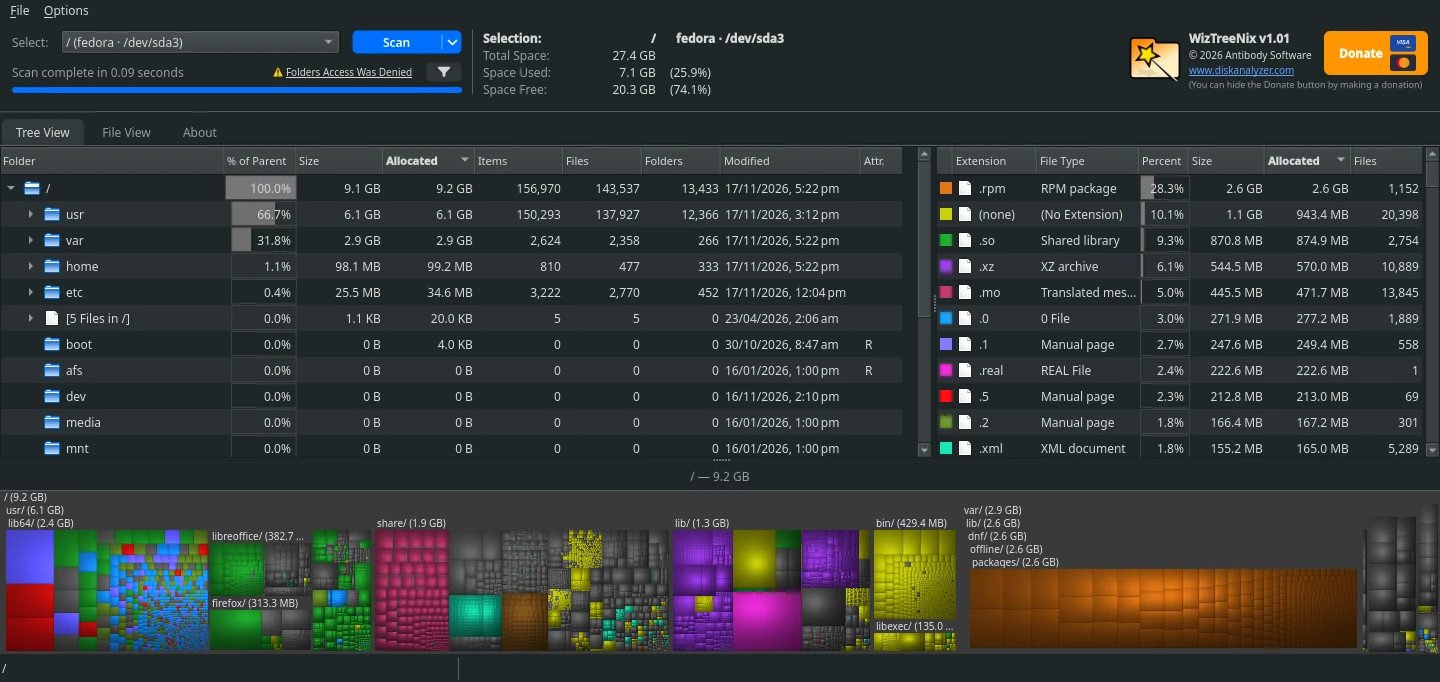
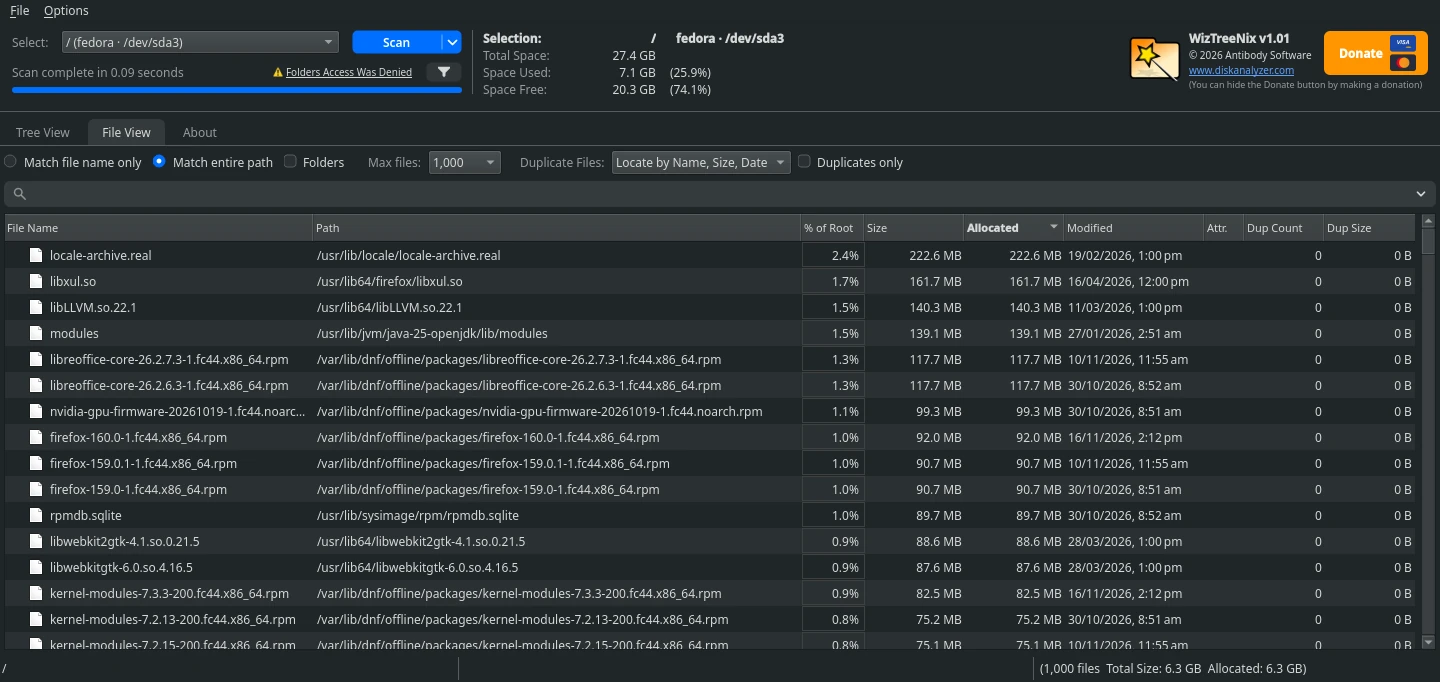
WizTreeMac and WizTreeNix can be downloaded from our downloads page.
Antibody Software is proud to announce WizTreeMac and WizTreeNix - the official ports of WizTree for macOS and Linux. We have worked hard to make these versions as faithful to the Windows version as possible. If you've already used WizTree on Windows you'll feel right at home with WizTreeMac and WizTreeNix.
WizTreeMac and WizTreeNix have their own version numbering and at the time of writing, they are both on v1.01. Currently, they are both based on the functionality of Windows WizTree 4.34. WizTreeMac and WizTreeNix contain almost all of the functionality and features of the Windows version. Supporter Codes (license keys) will work on both Windows, Mac and Linux versions, you don't need to purchase a new license for your Mac or Linux PC if you already have one.
A few things work differently due to platform differences between Windows, macOS and Linux and these differences are listed below.
| Area | Windows (WizTree) | Mac (WizTreeMac) | Linux (WizTreeNix) |
|---|---|---|---|
| Scan technology | Reads the NTFS Master File Table (MFT) directly for the fastest possible scan (requires Admin rights). Falls back to Windows API scanning for non NTFS drives and when admin rights not available. Uses multiple scanning threads for maximum speed. | Uses macOS's native bulk directory enumeration API with multiple scanning threads for maximum speed. NTFS drives can be scanned by reading the Master File Table directly, like Windows, which is much faster (requires administrator rights). | Uses Linux’s native directory enumeration with multiple scanning threads for maximum speed. NTFS, ext2/3/4 and Btrfs disks can be scanned by reading their file tables directly, which is much faster (requires root). |
| Network scanning (SMB shares) | Network shares are scanned through the Windows API (the MFT can’t be read remotely). Windows’ built-in SMB support is already reasonably fast, so no alternative SMB library is needed. | The macOS network mount is slow for large shares, so WizTreeMac can read SMB shares directly using a built-in high speed SMB library (libsmb2), with several parallel connections. A test share of 320,000 files dropped from about 4 minutes to about 12 seconds. On by default, using your Keychain login or asking for one, and falls back to the mount scan if needed. | WizTreeNix includes the same high speed SMB library and reads mounted SMB (CIFS) shares directly over several parallel connections, which is much faster than scanning through the kernel mount. It asks for your password (and can remember it in your desktop keyring), and falls back to the mount scan if needed. |
| Administrator access | A single “Run as Administrator” (UAC) elevation unlocks both full filesystem access and MFT scanning | Two separate permissions: Full Disk Access (granted once per Mac in System Settings) for reading protected folders, and a separate Restart as Administrator option for root-level access. Click on the Scan button's drop down arrow to select and activate Admin mode. A shield symbol will appear on the Scan button when running in Admin mode. | Choose Restart as Administrator from the File menu, or use the Scan button’s drop down arrow to scan as admin, and enter your password. This lets WizTreeNix read folders your user account can’t access and enables the fast direct disk scan. A shield symbol appears on the Scan button when running as admin. |
| Portable/USB drive mode | Triggered by detecting the app isn't running from Program Files folder. Portable version keeps config file in same folder as exe. | Triggered by detecting the app is running from a removable/external volume. To make WizTreeMac portable, double click the WizTreeMac DMG file and drag the WizTreeMac icon into a folder on a removable device instead of Applications. Config data will be stored in "WizTreeMac Data" folder created as a sibling of the .app on the same device. | WizTreeNix is distributed as a single AppImage file, which can be run from any folder or removable drive without installing. Use File > Prepare This Copy for Portable Use to keep its settings on the drive, and your Supporter Code travels with the drive too. |
| Mobile device scanning (MTP) | Can scan MTP-connected devices such as Android phones | Not yet supported | Not yet supported |
| Command-line parameters | /name=value or /name="value with spaces" syntax, e.g. /sortby=1 /exportfiletypes="c:\temp files\out.csv" |
--name=value or --name="value with spaces" syntax, e.g. --sortby=1 --exportfiletypes="/temp files/out.csv" |
--name=value or --name="value with spaces" syntax, e.g. --sortby=1 --exportfiletypes="/tmp/out.csv" |
| Path Separator | Windows uses a backslash (\), e.g. c:\Users\name\Documents Typing a backslash into a search filter will automatically cause the entire file path to be searched even if the "Match File name only" mode is selected. |
MacOS uses a forward slash (/), e.g. /Users/name/Documents Typing a forward slash into a search filter will automatically cause the entire file path to be searched even if the "Match File name only" mode is selected. |
Linux uses a forward slash (/), e.g. /home/name/Documents Typing a forward slash into a search filter will automatically cause the entire file path to be searched even if the "Match File name only" mode is selected. |
| Regular Expression Search/Filter | Use a forward slash (/) to indicate a regular expression search. e.g. /^a(.*)\.txt or if it contains spaces /"good (morning|evening)\.dat" |
Use a backslash (\) to indicate a regular expression search. e.g. \^a(.*)\.txt or if it contains spaces \"good (morning|evening)\.dat" |
Use a backslash (\) to indicate a regular expression search. e.g. \^a(.*)\.txt or if it contains spaces \"good (morning|evening)\.dat" |
| File Attributes | Windows supports (R)ead Only, (H)idden, (S)ystem, (A)rchive, (C)ompressed | macOS supports (R)ead Only, (H)idden, (C)ompressed. There is no System or Archive equivalent. | Linux supports (R)ead Only and (H)idden (files and folders starting with a dot). There is no System, Archive or Compressed equivalent. |
| Deleting files | Delete sends files to the Recycle Bin. A separate command deletes them immediately. | Move to Trash (Cmd+Delete) or Delete Immediately (Cmd+Option+Delete). If a file can’t be moved to the Trash, for example on some external drives, WizTreeMac offers to delete it immediately instead. | Move to Trash (Delete) or Delete Immediately (Shift+Delete). If you don’t have permission, WizTreeNix offers to delete the file as administrator after asking for your password. |
| File manager integration | An optional Scan with WizTree item in the Windows Explorer right-click menu. | Not yet supported. | An optional Scan with WizTreeNix item in the right-click menu of GNOME Files (Nautilus), Caja, Nemo, Dolphin and Thunar. |
| Live change monitoring | After a scan, WizTree watches the scanned folders and shows files that have been deleted struck through. | The same, using macOS file system events. | The same. As administrator it watches whole filesystems at once. Otherwise it watches folder by folder, so on a very large tree it can reach the system’s limit on watched folders. |
| Filesystem features | Files that share the same allocated space (NTFS hard links) are counted only once in folder totals. Also understands junctions and symbolic links, compressed and sparse files, and alternate data streams. | Hard links and APFS clones are counted once in folder totals. Symbolic links are listed but not followed. Compressed files are flagged. Other mounted drives are shown but not included in a drive’s totals. | Hard links are counted once in folder totals. Symbolic links are listed but not followed. Other mounted drives, bind mounts and nested Btrfs subvolumes are shown but not included in a drive’s totals. |
| CSV and MFT files | Exports to CSV, opens CSV and MFT files, and can dump a drive’s MFT to a file. | Export to CSV File, Select CSV File, Select MFT File and Dump MFT File (needs administrator rights) work as in Windows. CSV and MFT files can be exchanged between all three versions. | Export to CSV File, Select CSV File, Select MFT File and Dump MFT File (needs administrator rights) work as in Windows. CSV and MFT files can be exchanged between all three versions. |
| Size units (1 KB) | 1 KB = 1024 bytes by default. A tweak lets you switch to 1000. | 1 KB = 1000 bytes by default, as macOS does. A tweak lets you switch to 1024. | 1 KB = 1024 bytes by default, as du, ls -h and df -h do. A tweak lets you switch to 1000. |
| Installation and requirements | Installer, or a portable zip. | A signed and notarized DMG for Apple Silicon and Intel Macs. Drag WizTreeMac to your Applications folder. | A single AppImage for 64-bit Intel/AMD (x86_64) or ARM (aarch64) PCs. Make it executable and run it, and WizTreeNix offers to add itself to your applications menu. |
| System requirements | Any version of Windows from XP onwards, 32-bit or 64-bit. | macOS 12 (Monterey) or later, on Apple Silicon or Intel Macs. | A 64-bit Intel/AMD or ARM distribution with glibc 2.35 or newer (Ubuntu 22.04 or later, or an equivalent release) and a desktop environment. |